
Showing posts with label BOOKS I recommend. Show all posts
Showing posts with label BOOKS I recommend. Show all posts
Tuesday, May 17, 2011
Programming for Windows Phone 7 is fun too

Saturday, May 14, 2011
All you can do in Windows 7 using the command prompt
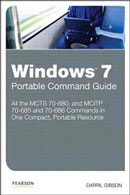 This time I would like to recommend this really practical, useful and well crafted book: Windows 7 Portable Command Guide, by Darril Gibson, with "all the commands in one compact, portable resource" for MCTS 70-680 (Configuring Windows 7), and MCITP 70-685 (Enterprise Desktop Support Technician) and 70-686 (Enterprise Desktop Administrator) Microsoft certifications. Although you may find this information in the Web, you won't find it in one single place as organized, neatly presented and with relevant examples, as within this book. Using the command-line interface with elevated privileges (cmd, Windows Powershell or better yet, the Windows PowerShell Integrated Scripting Environment) you can do this and then some: Windows 7 installation, upgrades and deployment, User and application migration, Windows 7 deployment, Physical and virtual hard disk configuration and management, Windows Update, Device and application configuration, Internet Explorer configuration, Networking (including TCP/IP configuration), Firewall settings, Mobile and remote computing, Secure access control for local and shared resources, System performance management and monitoring, Backups, system recovery and file recovery. Having a powerful "console" is no longer the province of Linux geeks, I figure.
Saturday, January 1, 2011
How to finally figure out .NET technologies and start something

 Let this be one of the New Year's resolutions: to finally master the Microsoft .NET Framework, which is undoubtedly, and this is true at the beginning of 2011, among the best technologies in the Internet world to create and maintain not only top quality Websites but also applications for devices, including the newest and cool Windows Phone 7, web services and more. I find in this book, Professional ASP.NET 4 in C# and VB
 , a good antidote to counteract the overwhelming amount of documentation available to learn and study these technologies. This book, of course not for beginners, offers a big-picture view of ASP.NET 4 with an excellent editorial layout covering the essential subjects and concepts with a wealth of examples. This is now one of my favorite reference books.
Friday, December 10, 2010
Windows 7 Resource Kit, still the best reference

 Since the times of the Windows 3.1 Resource Kit (1993?) I always get my copy of this essential guide to everything Windows. This Windows 7 Resource Kit
 is the best education you can get on this great operating system, Windows Vista's genetically improved heir, in a language you can understand, but also with a great technical level. In addition, you'll have good and documented information not only when it comes to fixing a rogue computer but also when you want to have an intelligent and meaningful chat with IT people or other PC enthusiasts. Divided in six parts and 32 two chapters it offers great insights on Windows 7 security, deployment, desktop management, desktop maintenance, networking and troubleshooting. This mammoth reference book is worth having in your library.
Subscribe to:
Posts (Atom)